Firearm analytics Pro
The firearm analytics page gives you a per-gun view of your range data: total rounds fired, your best-performing load for that firearm, a full session history, and a velocity consistency chart over time. It reflects all shots where you assigned this firearm when logging range data, including formal groups and ungrouped shots.
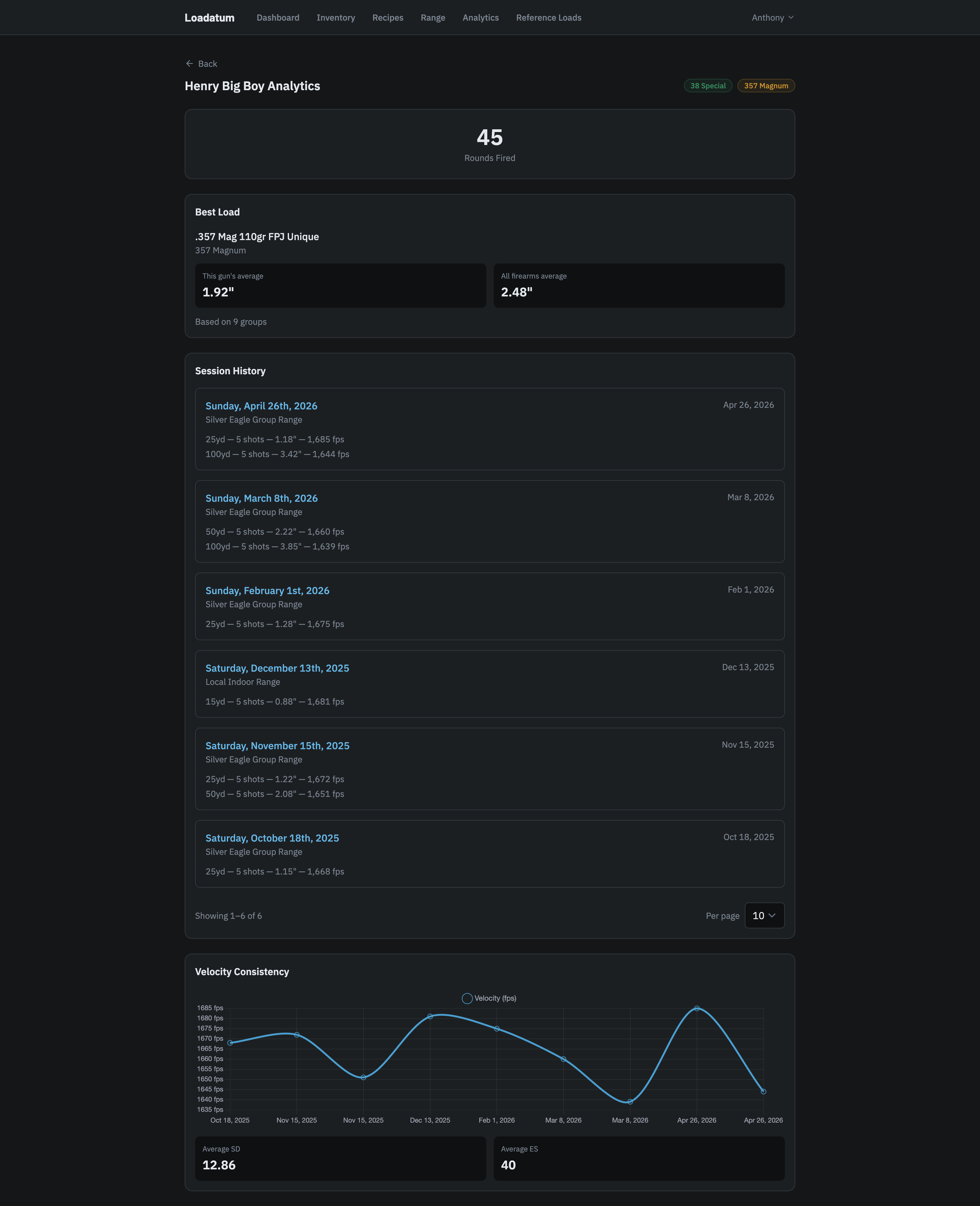
Rounds fired
The number at the top is the total shots fired through the firearm, summed from every ammo shot log entry recorded for it. It counts all shots across all range sessions, including groups with no group size measurement and ungrouped shots where you assigned this firearm.
Best load
This card shows which of your recipes produced the tightest groups in this specific firearm. "Best" is the recipe with the lowest weighted average group size, weighted by number of shots per group.
Two numbers are shown side by side:
- This gun's average: the weighted average group size for that recipe fired through this firearm.
- All firearms average: the same recipe's weighted average across every other firearm you have logged groups for. If only this firearm has shot the recipe, it shows "Only this gun."
The card is empty if no groups with group size measurements have been logged for this firearm. Group size is optional when logging a range group, so this section fills in as you add measurements over time.
Session history
A chronological list of every range session where this firearm was assigned to at least one group, sorted most recent first. Each session entry shows the groups shot with this firearm: distance, number of shots, group size (if recorded), and velocity (if recorded). Long histories paginate automatically.
Clicking a session title takes you to the full session detail page.
Velocity consistency
A line chart plotting velocity in fps for each range group logged with this firearm that has velocity data. The x-axis is date, the y-axis is fps. Below the chart, average SD (standard deviation) and average ES (extreme spread) are shown across all groups with that data.
This section shows an empty state if no velocity readings have been recorded for this firearm yet. Add chronograph data when logging a range group to populate it. See Chronograph data for how to record fps, SD, and ES.