Exporting your data
This is a Pro feature. Pro users can export their Loadatum data as a CSV ZIP archive or a single JSON file from the Settings page. You choose which data types to include, how monetary values are formatted, and whether to include all ammo or factory ammo only.
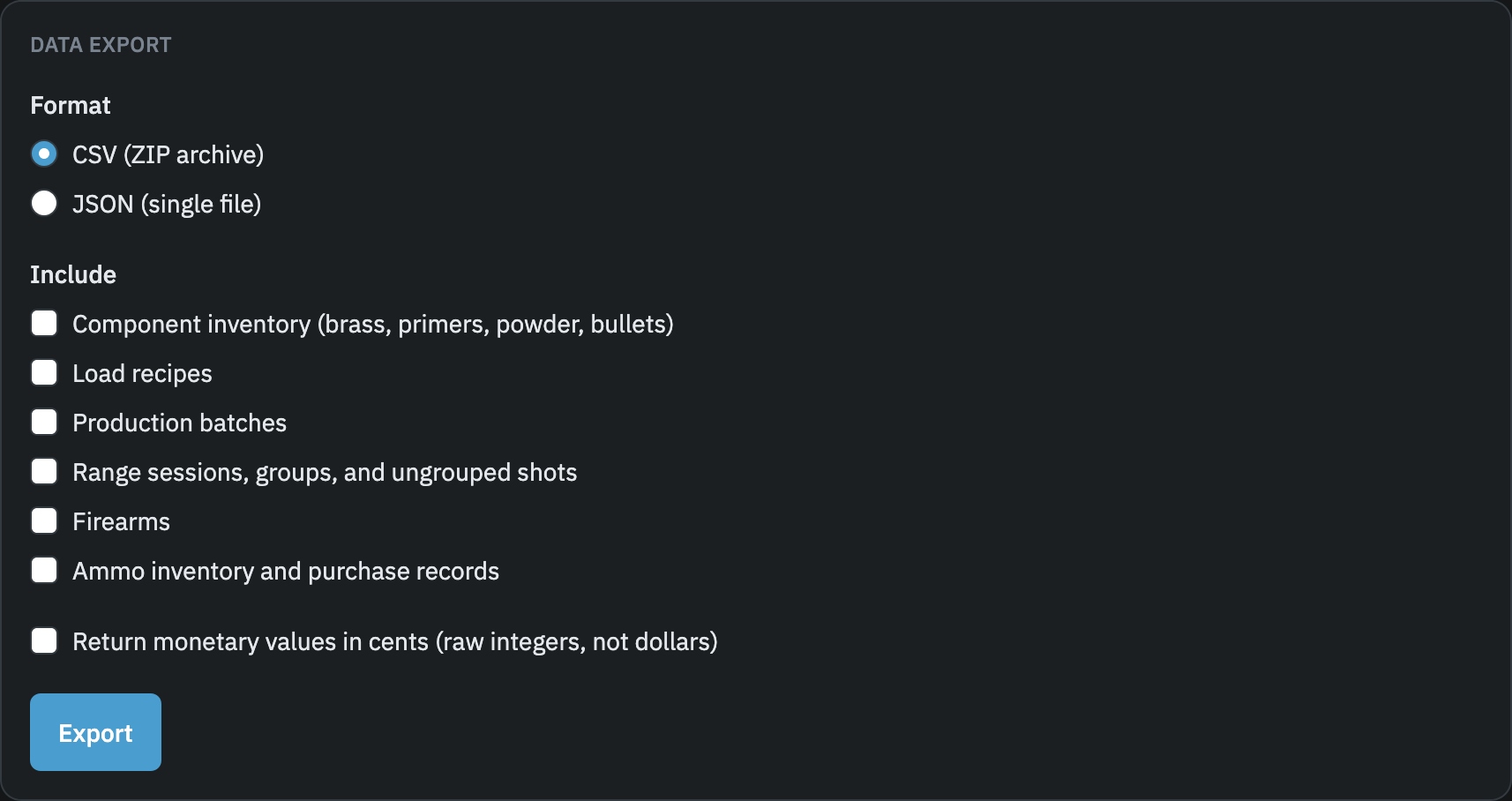
What is included
Each data type is exported independently. Select one or more:
- Component inventory: brass lots, primer inventory, powder inventory, and bullet inventory with quantities, costs, and notes.
- Load recipes: recipe names, components, charge weight ranges, COAL, seating depth, crimp, status, and notes.
- Production batches: batch records with charge weight, COAL actual, quantity loaded, and cost per round for each component. Includes a batch-brass pivot table linking batches to their brass lots.
- Range sessions, groups, and ungrouped shots: session dates and conditions, range groups with distance, group size, velocity data, and ungrouped shot counts.
- Firearms: name, caliber, manufacturer, model, action type, barrel length, and serial number.
- Ammo inventory and purchase records: ammo inventory rows and purchase history. Use the ammo scope option to limit this to factory ammo only.
Choosing a format
CSV produces a ZIP archive containing one CSV file per data type. The archive also includes a readme.txt with the export date. CSV is the better choice if you want to open the data in a spreadsheet application or import it into another tool.
JSON produces a single file containing all selected data types as a JSON object. JSON is more convenient if you are writing a script to process your data or want a single file to keep as a backup.
Ammo scope
The ammo scope option appears when you select "Ammo inventory and purchase records." It controls which inventory rows are included:
- Factory ammo only: exports rows that were added as factory-purchased ammo (rows with no associated batch).
- All ammo inventory: exports both factory ammo and handloaded ammo rows created when production batches were logged.
Return costs in cents
By default, all monetary values are exported as decimal dollar amounts (for example, 0.12 for 12 cents). Checking "Return monetary values in cents" exports them as raw integers instead (for example, 12). Use this option if you are importing the data into a system that stores money as integers.
Rate limiting
Exports are limited to one per 60 seconds. If you request a second export before the window clears, the app will show an error notification and no file will be downloaded. Wait a moment and try again.
What is not included
Soft-deleted records are excluded from exports. If you have deleted a recipe, brass lot, firearm, or other record, it will not appear in the export file. The underlying data is preserved in the database and would be restored if the record were recovered, but it is not present in any export you generate.