Cost breakdown
The Analytics page tracks what your components and ammunition are worth and what each batch costs per round. Cost data is only populated when prices were entered against your inventory, so the numbers reflect what you paid as closely as your inventory records do. Free accounts see data from the last 30 days only.
How cost data is captured
When you create a batch, the app snapshots the cost per round for each component from your current inventory prices: primer cost per round, bullet cost per round, powder cost per round (derived from cost-per-pound and charge weight), and brass cost per round (if brass prices are set and you are using lot mode). These snapshots are stored on the batch record.
If a component had no price set in inventory at the time the batch was created, that cost field is null for that batch and is excluded from cost calculations. Costs are not retroactively recalculated if you update inventory prices later.
Ammo cost overview
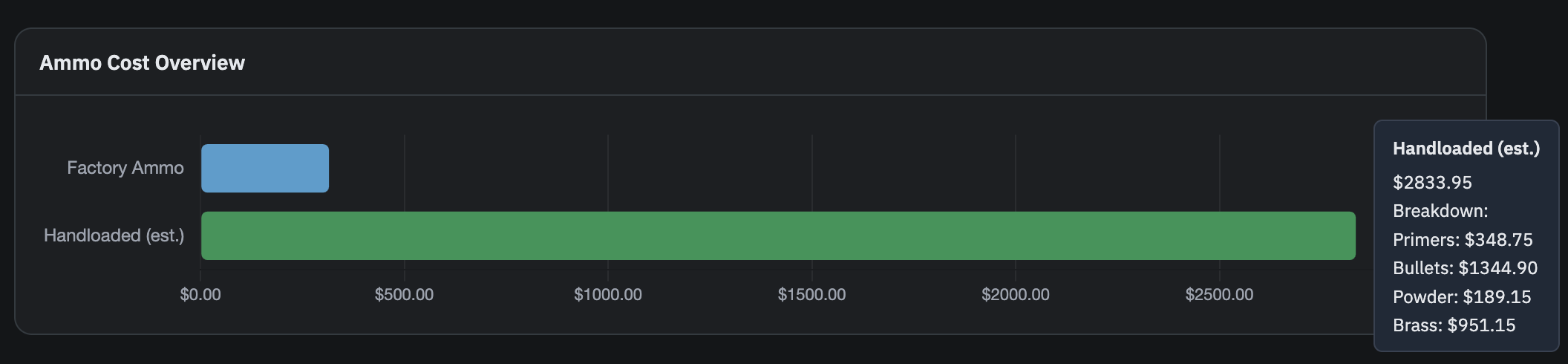
On the Ammo tab under Analytics, the Ammo Cost Overview card shows a horizontal bar chart comparing total factory ammo cost against total estimated handloaded ammo cost. Hovering the handloaded bar shows a breakdown by component: primers, bullets, powder, and brass.
This card only appears when inventory tracking is enabled and at least one cost figure is available.
Cost per round over time
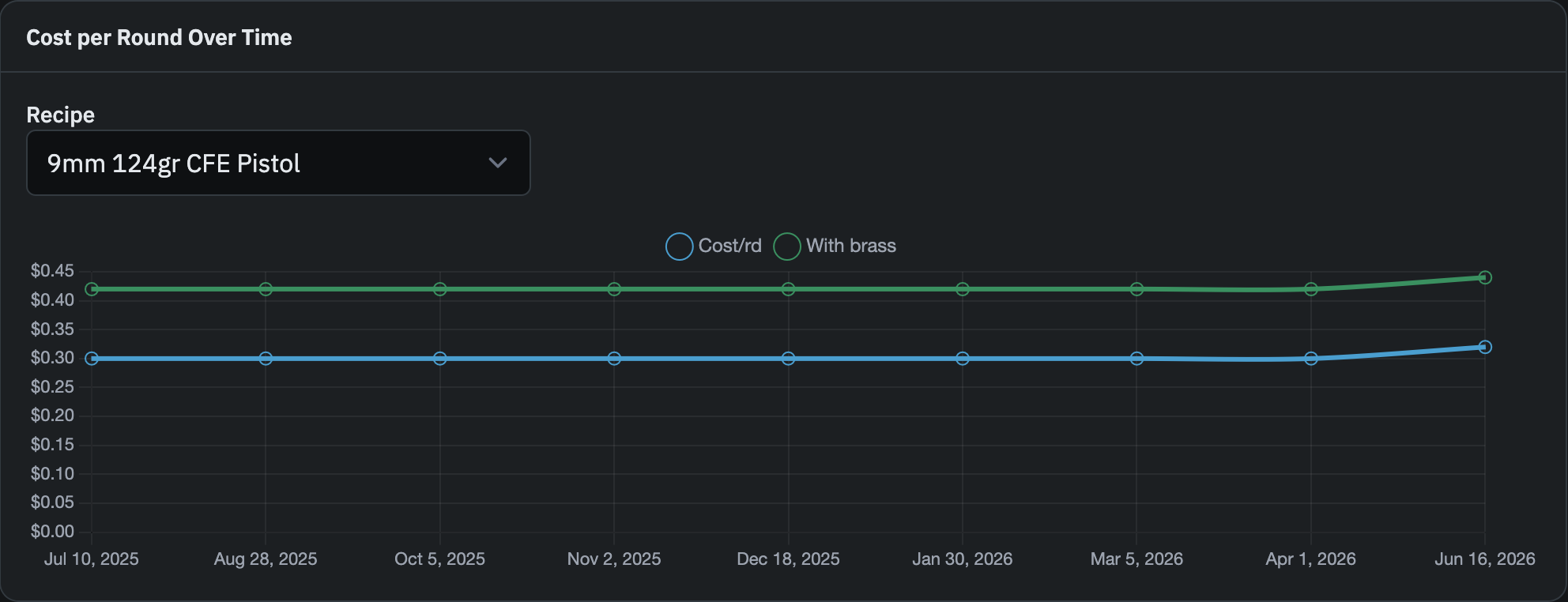
Also on the Ammo tab, the Cost per Round Over Time card lets you select a recipe and view a line chart of cost-per-round across your batches in chronological order. Each data point is one batch. Batches with missing cost data for any of primer, bullet, or powder are excluded from the chart.
Select a recipe from the dropdown to load its trend. If no batches have cost data yet, the card shows a message indicating that cost is captured when new batches are created.
Component inventory costs
On the Components tab, a second cost card breaks down the total current value of your component inventory: brass, primers, powder, and bullets. This reflects the current on-hand value of your component inventory, based on the prices you entered.
This card only appears when inventory tracking is enabled.
Free plan date limit
Free accounts see a banner at the top of the Analytics page noting that data is limited to the last 30 days. All cost queries, including the ammo cost overview and the CPR trend chart, are filtered to batches loaded within that window. Pro accounts have access to full history.