Dashboard overview
The dashboard is your at-a-glance summary of where things stand: how many rounds you have on hand, recent batches, and any inventory or maintenance warnings that need attention. It loads fresh data each time you visit, with no plan gating or date filters.
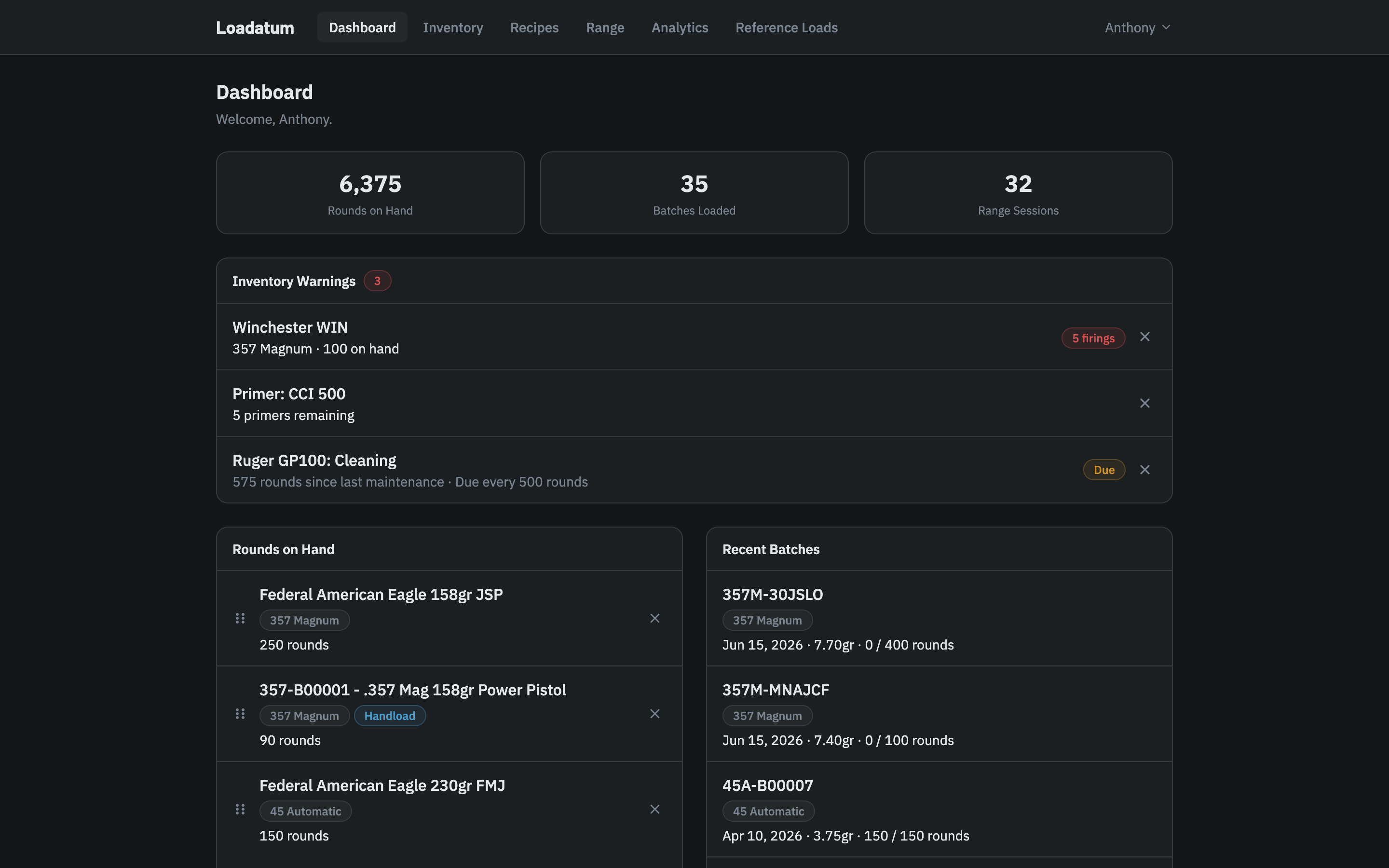
Quick stats
Three numbers appear at the top of the page:
- Rounds on Hand: total rounds across all your active ammo inventory. Only shown when inventory tracking is enabled.
- Batches Loaded: total number of production batches you have logged.
- Range Sessions: total number of range sessions logged.
Inventory warnings
When inventory tracking is enabled and any warnings are present, a warnings card appears below the quick stats. It covers three types of alerts:
- Brass retirement: brass lots that have reached or exceeded their retirement threshold based on times fired. The threshold is set per-caliber in your settings, with a global default as a fallback.
- Low components: primers, bullets, or powder inventories at or below their low-stock thresholds. Default thresholds are 100 primers, 50 bullets, and 3,500 grains of powder. These can be adjusted in Settings.
- Maintenance due: Pro firearms with a maintenance threshold that has been reached. The alerts appear here automatically if you have maintenance thresholds configured. See Maintenance tracking for details.
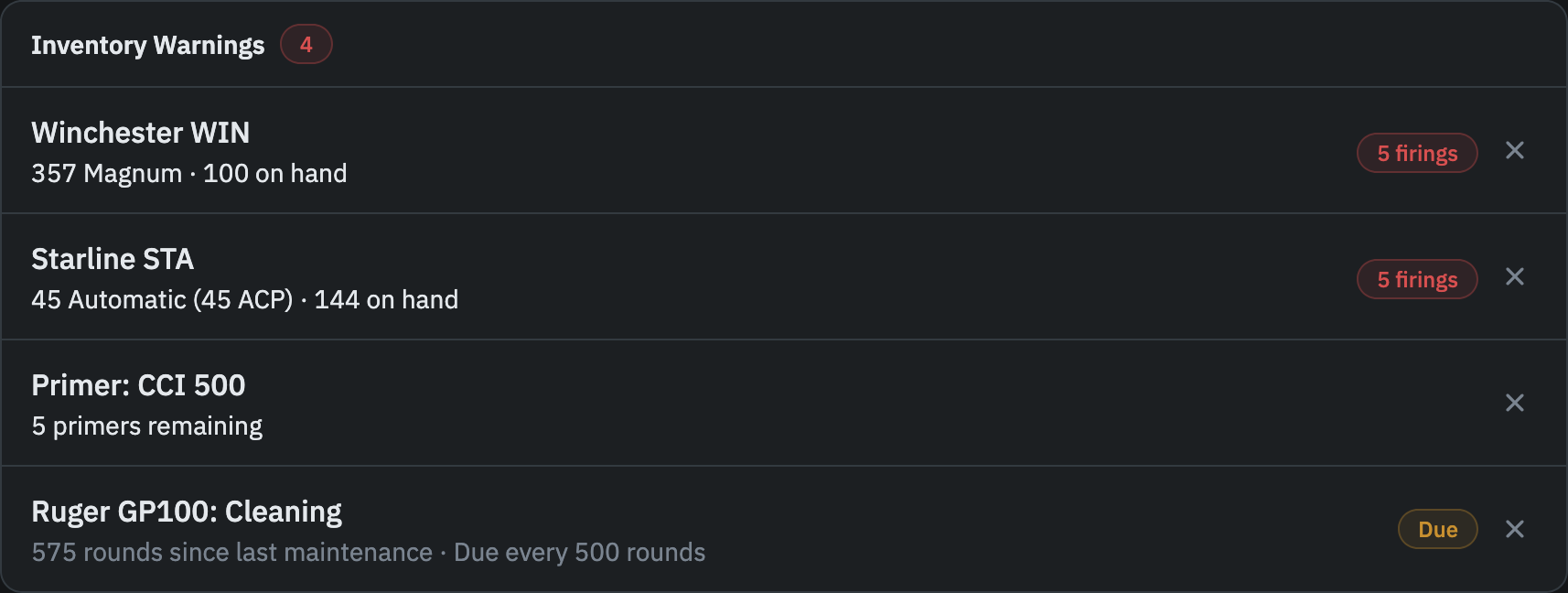
Clicking a brass or component warning takes you directly to the relevant inventory page and highlights the specific item in the list. Maintenance warnings link directly to that firearm's maintenance page.
Each warning has a dismiss button (×) on the right side of the row. Dismissing a warning hides it until the underlying value changes. For example, if you dismiss a low-primer warning and your primer count drops further, the warning re-appears.
If more than five warnings are active at once, the card shows the first five and a "Show N more" button at the bottom. Clicking it expands the full list.
If there are no active warnings, this card does not appear.
Rounds on hand
When inventory is enabled, the Rounds on Hand card shows the ammo groups you have pinned to the widget. It is not auto-populated: you choose what appears by pinning items from the Ammo Inventory page.
Each row shows the item name, its caliber, a "Handload" badge if it came from one of your recipes, and the current rounds on hand. You can have up to 8 items pinned at a time.
To reorder the list, drag a row by its handle on the left. To remove an item, click the × on the right. Removing an item does not affect your inventory.
If no items are pinned, the card shows a prompt to visit the Ammo Inventory page.
Recent batches
The five most recent production batches by load date, showing recipe name, caliber, charge weight, quantity loaded, and rounds remaining. Clicking a batch takes you to its recipe page. This card is always visible regardless of inventory settings.
Ammo breakdown
When inventory is enabled, a charts section shows your current ammo inventory broken down across four sub-tabs: By Caliber (all handloaded rounds by caliber), Reloaded by Recipe (handloaded rounds grouped by recipe), Recipe Breakdown (handloaded rounds for a single recipe broken down by charge weight, with a recipe selector), and Factory by Brand (factory ammo rounds grouped by manufacturer). These charts update as you log batches and range sessions.